
Pepper - Recipe Organizer
Pepper App IncFood & Drink
4.6258.00 Reviews
- Version
- 2.39.0
- Installs
- 100.00K
- Age Rating
- Teen
Screenshots
Our Review of Pepper - Recipe Organizer
 Analysis by Appyee
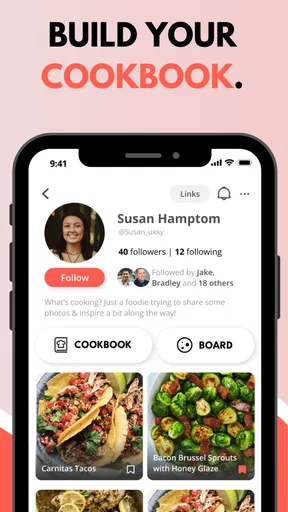
I judge a cooking app not only by whether it can hold a recipe, but by whether I’d trust it as part of my routine: what it helps me organize, how much effort it adds, and what choices are clear when I use it. Pepper - Recipe Organizer is a social cooking app from Pepper App Inc, built around collecting recipes and discovering them with other people. That social angle is the main difference from a private recipe notebook, and it is also the first thing I’d weigh before making it my default kitchen archive.
A social recipe shelf, not just a digital folder
In the food and drink category, plenty of people already save recipes in browser bookmarks, screenshots, notes, or a paper binder. Pepper’s appeal is that it brings recipe organization and discovery into one cooking-focused place. The app has a 4.7 average from around 1.6 thousand ratings, and more than 100 thousand installs; those figures suggest an established audience, though popularity alone can’t tell me whether its social approach will suit your habits.
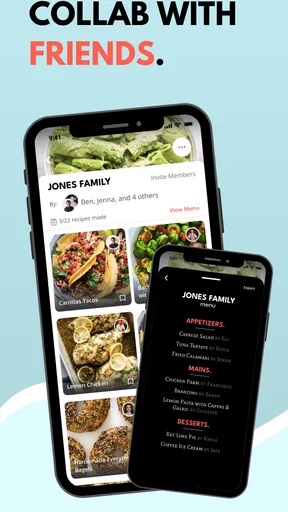
I’d be most interested in Pepper if I regularly trade ideas with friends, want to keep a growing collection in one place, or enjoy seeing what other home cooks are making. If I only cook a handful of familiar meals and don’t want another app or community to manage, a basic notes app may be quicker. A recipe organizer is useful only when saving and finding food ideas feels easier than the scattered system it replaces.
What I would check before making it my kitchen archive
Recipe collections can become surprisingly personal. They may reflect health needs, household routines, religious or cultural preferences, and the people I cook for. The social element makes it sensible to pause before sharing anything and to look closely at the choices presented in the app. I wouldn’t assume that a recipe saved for myself is automatically private or public; I’d make a deliberate choice whenever a screen gives me one.
The practical trust check is straightforward: review the permission prompts when they appear, consider whether each request makes sense for the task at hand, and read the app’s privacy information before adding details you would rather keep personal. I can’t infer a permission or data policy from the idea of a social cooking app alone, so I would avoid granting access I don’t understand. If you are setting this up for a household, it is worth agreeing on what you’re comfortable sharing before turning a private meal-planning habit into a social one.
Where it fits, and where I’d choose something else
Pepper is free to download, with in-app purchases listed from $3.99 to $89.99 per item, so I’d check the purchase screen carefully before confirming anything. The app is rated Teen. Its current version is 2.29.0, it was released on December 17, 2021, and it requires Android 8.0 or later. Those details make it easier to check basic fit, but they don’t tell me whether every feature is free, so I’d treat any upgrade prompt as a choice rather than a requirement.
Compared with bookmarks, Pepper offers a more purpose-built way to collect and rediscover recipes; compared with a printed binder, it is easier to carry and search. The trade-off is that bookmarks and paper can feel simpler, need less account management, and keep your cooking routine outside a social platform. If your priority is strict control over where personal information goes, first inspect the app’s visible settings and privacy choices, then decide whether the convenience is worth it for you.
A realistic way to try it without overcommitting
I’d start with a small test collection rather than moving every recipe I’ve ever saved. Add a few dependable weeknight dishes, one recipe you want to try, and any notes that make a real difference to how you cook it. Then search for those items later, ideally when you’re planning dinner rather than just exploring menus. This reveals whether the categories and retrieval process match your own way of thinking about food.
For example, if I’m planning a busy week, I might save a new dish I found online, keep a note about a substitution my family prefers, and use the shopping list when I’m preparing to go to the store. That is a more useful test than collecting recipes for an hour and assuming I’ll remember where everything went. I’d also check whether the social side helps me discover something I’d actually cook, rather than simply adding more ideas to an already long queue.
One useful habit is to write notes that answer a future question: what can be prepared ahead, what change improved the dish, or which ingredient should not be omitted. Short, specific notes are easier to use with messy hands and a hot pan waiting than a full account of every attempt. I’d also keep a backup of any recipe that is especially important to me until I’m confident the app fits the way I want to store it.
Good fit depends on your cooking style
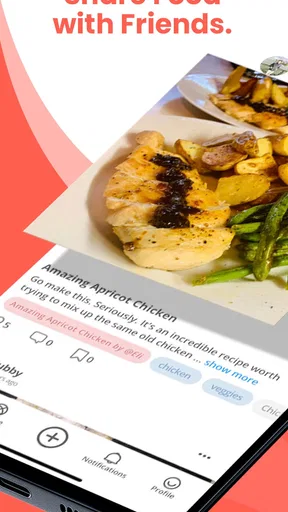
I’d recommend giving Pepper a try if you collect recipes from different places, enjoy discovering food through other cooks, and want one searchable home for meals you intend to make. It may be especially handy for someone who cooks from a phone and wants shopping preparation tied to recipe planning. The social element can also make it easier to exchange inspiration than a collection stored entirely in private notes.
I’d be less enthusiastic if you want a purely offline, private archive, dislike creating or maintaining accounts, or need certainty about detailed privacy controls before trying any social service. In those cases, a local notes app, a folder of bookmarks, or a physical recipe book may be a better match. If you have allergies or strict dietary requirements, treat saved recipes as references to inspect carefully, not as a guarantee that ingredients or substitutions are suitable.
There are a few practical questions I’d answer during the trial. Can I find a saved dish quickly using the labels I naturally think of? Does adding a recipe take less effort than saving it in my current system? Are the sharing and account choices understandable before I use the social features? And does the shopping workflow suit the way I actually shop, rather than creating an extra list I have to reconcile? Those checks will tell you more than a long collection built before you know whether the app clicks.
Getting Started with Pepper
First things first, downloading Pepper - Recipe Organizer is a breeze. Available for both Android and iOS, it’s just a quick tap away from being your kitchen companion. Once installed, the app greets you with a clean and intuitive interface that even your grandma could navigate. Seriously, it’s that user-friendly!
As I started inputting my recipes, I noticed how the app allows you to categorize them effortlessly. Whether you’re a fan of Italian, Asian, or good old-fashioned American cuisine, Pepper lets you tag and sort your recipes so you can find exactly what you need when you’re in a pinch at dinner time.
The Features that Spice Things Up
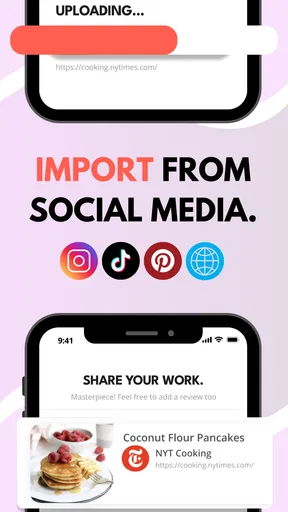
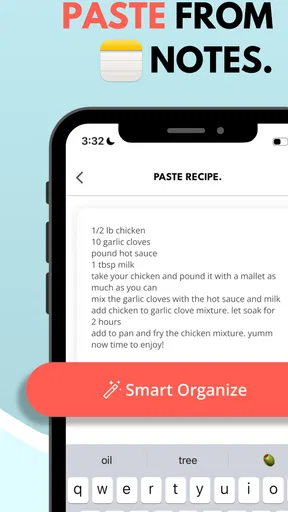
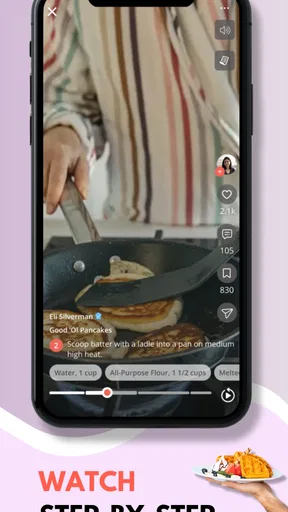
One feature that really stood out to me was the ability to upload recipes directly from the web. I’m talking about a seamless process where you can simply paste a URL, and voila, the recipe is saved right into your collection. It’s like magic!
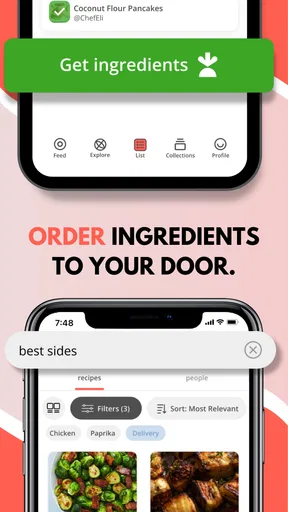
Another cool aspect is the shopping list feature. You can select a recipe, and Pepper will automatically compile a list of ingredients you need to pick up from the store. Talk about convenience! It saves you from those dreaded moments when you get home and realize you forgot the eggs or milk.
And if you’re anything like me, you appreciate a little customization. Pepper lets you add personal notes to each recipe. So whether you’ve added an extra dash of cinnamon or prefer your pasta al dente, you can jot it down for future reference.
Cooking Up a Storm with Pepper
Using Pepper has genuinely changed my cooking experience. It’s like having a personal sous chef who remembers all your favorite tweaks and tricks. The ability to search through my recipes by ingredients or tags has made meal planning a breeze.
I also love how Pepper syncs across devices. Whether I’m using my tablet or phone, my recipes are always at my fingertips. No more frantic searching through screens or, worse, paper recipes while my hands are covered in flour.
Final Thoughts on Pepper
Ultimately, Pepper - Recipe Organizer is a game-changer for anyone who loves to cook and wants to keep their recipes organized and accessible. It’s simple, efficient, and packed with features that make it a must-have for culinary enthusiasts.
If you’re tired of the chaos and looking for a way to streamline your cooking adventure, give Pepper a shot. It just might become your new best friend in the kitchen.
My cautious recommendation is to begin with the recipes you reach for most often, then decide whether Pepper earns a permanent place in your kitchen routine. Its strongest case is the combination of organizing, finding, and sharing cooking ideas; its weaker case is for someone who wants nothing beyond a private, minimal recipe file. I’d keep the app only if its real-world convenience outweighs the extra social and account considerations for me.
Verdict
Strengths of Pepper - Recipe Organizer
- User-friendly interface simplifies navigation.
- Easily categorize recipes for quick access.
- Syncs across devices for convenience.
- Supports photo uploads for visual reference.
- Customizable shopping lists enhance usability.
Limitations of Pepper - Recipe Organizer
- Limited free features; requires subscription.
- No offline mode for remote access.
- Recipe import tool occasionally glitches.
- Interface lacks dark mode option.
- No integration with voice assistants.
Similar Picks in This Category
View All
Rappi: Food Delivery, Grocery
Rappi, Inc - Delivery3.5

McDonald’s: Cupons e Delivery
Arcos Dorados4.3

Swiggy: Food Instamart Dineout
Swiggy4.7

Blinkit: Groceries & more
Blinkit4.8

foodpanda: food & groceries
Foodpanda GmbH a subsidiary of Delivery Hero SE4.0

Zomato: Food Delivery & Dining
Zomato4.7
Frequently Asked Questions
What features does Pepper - Recipe Organizer offer?
Pepper - Recipe Organizer provides a comprehensive platform to store, organize, and share your favorite recipes. Features include the ability to import recipes from websites, create shopping lists, and categorize recipes for easy access. Additionally, you can customize recipes with personal notes and search for new ideas within the app’s community.
Is Pepper - Recipe Organizer available for both Android and iOS devices?
Yes, Pepper - Recipe Organizer is available for download on both Android and iOS platforms. This ensures that users can access their recipe collections and utilize app features seamlessly across different devices, making it convenient for all users regardless of their preferred operating system.
How user-friendly is the Pepper - Recipe Organizer interface?
Pepper - Recipe Organizer is designed with a user-friendly interface that is both intuitive and easy to navigate. The app features clear menus and simple controls, allowing users to quickly add and organize recipes. Whether you're tech-savvy or a beginner, you'll find it easy to manage your culinary collections.
Can I share my recipes with others using Pepper - Recipe Organizer?
Yes, you can share your recipes with friends and family directly through the app. Pepper - Recipe Organizer allows users to send recipes via email or social media platforms, promoting easy sharing and collaboration. This feature makes it simple to spread your culinary creations and gather feedback.
Is there a cost associated with using Pepper - Recipe Organizer?
While Pepper - Recipe Organizer offers a free version with basic features, there might be premium options available for users who wish to access additional functionalities. These may include advanced organizational tools and an ad-free experience. Check the app store for detailed pricing and subscription options.
